

SLShipping Labels
Professional shipping labels, generated directly from TallyPrime.
Reduce manual typing, standardize dispatch labels and print multi-box shipments using invoice, customer and company information already available in Tally.
✓ TallyPrime connected✓ Guided implementation✓ Licensed deployment
✓
Ready for daily useSimple and focused workflow
↔
Tally connectedControlled business data flow
See the Output
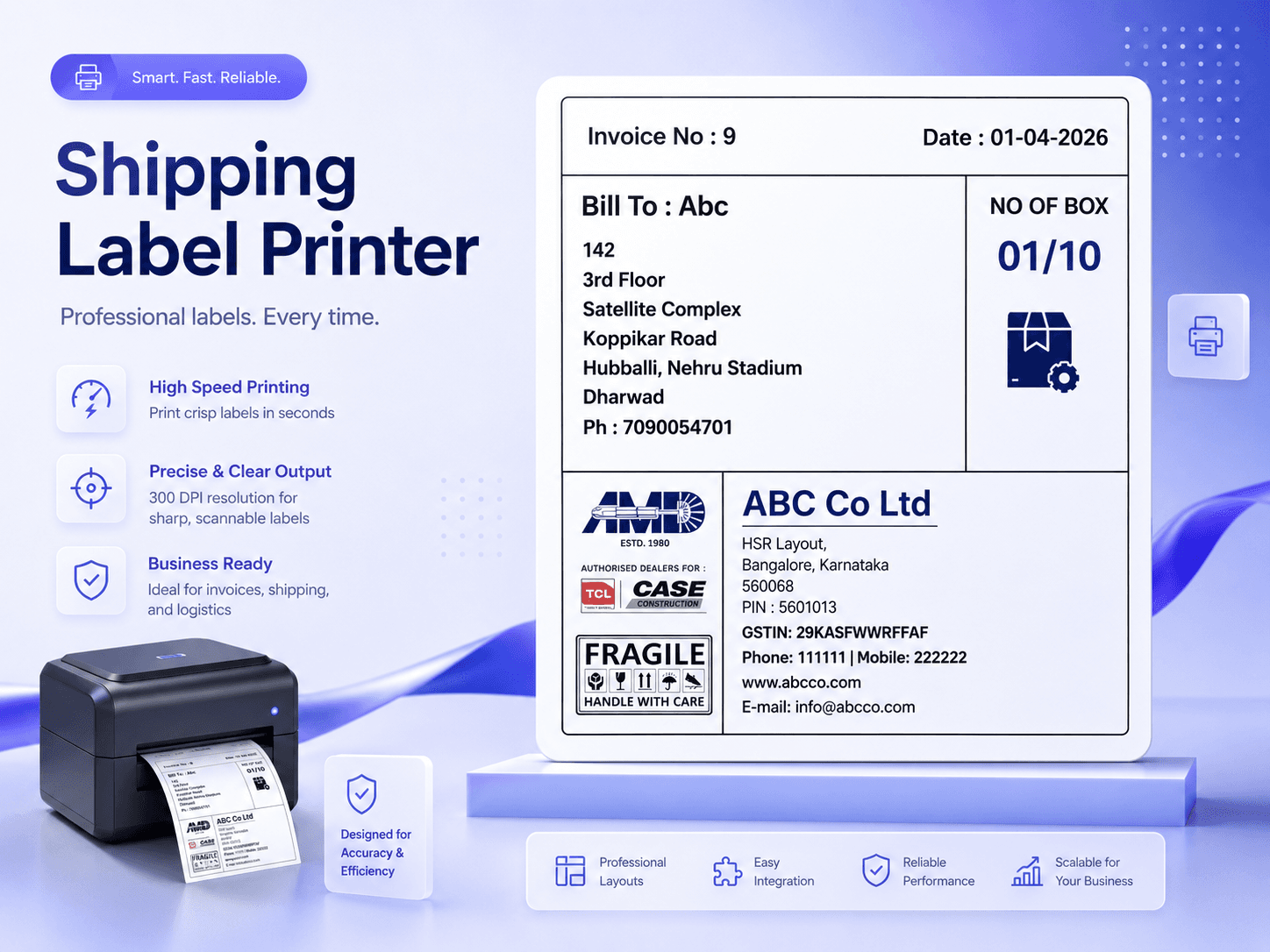
From Tally invoice to a professional shipping label.
Show customers exactly what the application produces: branded labels, sequential box numbering and printer-ready output using business data already available in TallyPrime.
✓ Invoice data✓ 01/10 box numbering✓ Printer-ready
✓
Label generatedReady to print
↔
Tally data connectedNo repetitive typing
Product Overview01 02 03 04
Move from voucher selection to ready-to-print labels in a few guided steps.
The application connects with TallyPrime, loads eligible sales vouchers, prepares branded shipment labels and lets the user preview, print or export the final output.
Remove repetitive typing
Invoice number, party name, address and relevant company details are retrieved from TallyPrime.
Standardize every dispatch
Use a consistent label format across users, invoices and shipment quantities.
Handle multiple boxes easily
Generate sequential labels such as 01/05 through 05/05 from one shipment.
Print with confidence
Preview the label before direct printing or saving it as a PDF.
BUSINESS WORKFLOWFaster processingLess repetitive work
IMPLEMENTATIONStructured setupConfigured for your environment
Key Capabilities
Everything needed for a reliable business workflow.
Focused features designed to make the selected process faster, clearer and easier for regular business users.
01
Direct Tally Voucher Fetch
Load invoice, party and company details from the selected TallyPrime company.
02
Sequential Box Numbering
Create labels such as 01/10, 02/10 and onward automatically.
03
Custom Label Dimensions
Configure width, height and layout according to your stationery and printer.
04
Business Branding
Display company name, GSTIN, phone, address and approved footer artwork.
05
Preview and PDF Export
Review the final label before printing and retain a digital copy.
06
Licensed Deployment
Use controlled machine-specific activation and validity management.
Product Demonstration
Watch the application workflow before booking your demo.
See how the product works, what information it uses and how it can fit into a regular TallyPrime business process.
✓ Product interface walkthrough✓ Tally connectivity and workflow✓ Output, reports or printing process
Ask a Question About This Product →Demo video coming soon
Add the YouTube link in data/products.js.
How It Works
A clear process from Tally data to completed action.
The application works alongside TallyPrime and guides the user through a controlled sequence of steps.
Discuss Your Implementation →Connect and select company
Configure the Tally host, port and active company.
Choose voucher or invoice
Search by date range or manually enter the required voucher number.
Enter number of boxes
The application prepares sequential labels for the complete shipment.
Preview, print or export
Check the layout, print directly or save a PDF copy.
Ideal For
Built for businesses that need speed, consistency and control.
Manufacturers
Prepare consistent labels for finished goods and dispatch shipments.
Distributors
Print shipment labels quickly for regular dealer and customer orders.
E-commerce Sellers
Generate readable parcel labels for frequent order dispatches.
Logistics Teams
Standardize box numbering and customer identification during dispatch.
Already using Shipping Labels?Get installation, activation or usage support.
support@axatechapps.com →See It With Your Own Workflow
See the shipping-label workflow using your own invoice and label format.
Share a sample label, printer size and the Tally fields you need to display.