

BRReceivable Manager
Turn outstanding balances into a clear collection plan.
Give owners, accounts teams and collection staff a practical dashboard for party-wise, bill-wise and overdue receivables directly from TallyPrime.
✓ TallyPrime connected✓ Guided implementation✓ Licensed deployment

✓
Ready for daily useSimple and focused workflow
↔
Tally connectedControlled business data flow
See the Dashboard
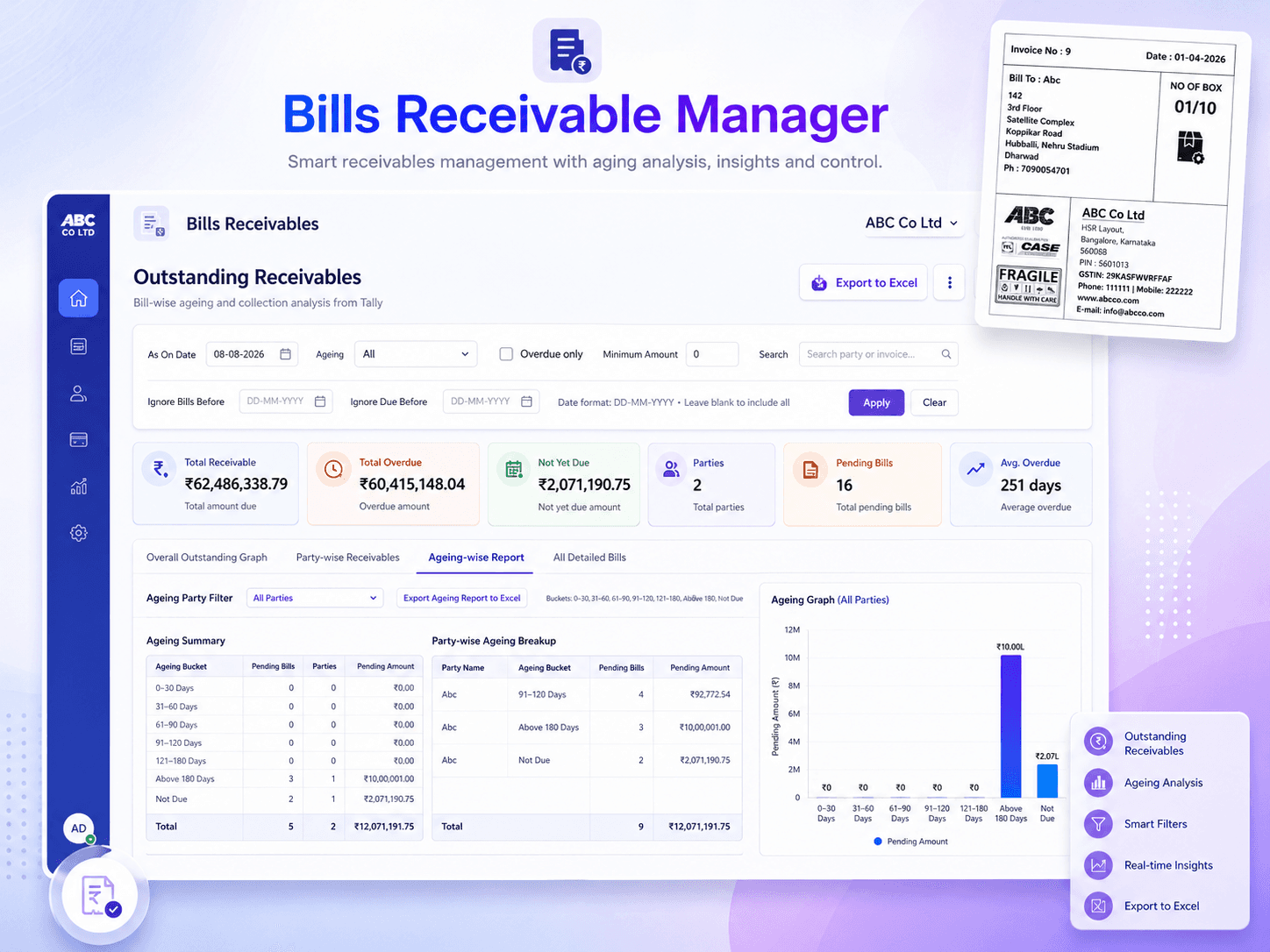
Outstanding receivables turned into a clear collection view.
Present party-wise receivables, ageing, overdue balances and collection priorities in a dashboard that is easier for owners and accounts teams to act on.
✓ Ageing analysis✓ Party-wise view✓ Excel export
✓
Receivables analysedPriority balances visible
↔
Tally connectedLive business data
Product Overview01 02 03 04
See who owes what, when it was due and where to focus first.
The application retrieves relevant outstanding information from TallyPrime and organizes it into searchable summaries, ageing views and collection-focused dashboards.
Improve collection visibility
View total outstanding, open bills and overdue customers from one screen.
Prioritize follow-up
Identify high-value and long-overdue balances that need attention first.
Move from summary to detail
Review party-wise balances and drill down to individual bill references.
Reduce manual reporting
Use Tally data without repeatedly preparing outstanding spreadsheets.
BUSINESS WORKFLOWFaster processingLess repetitive work
IMPLEMENTATIONStructured setupConfigured for your environment
Key Capabilities
Everything needed for a reliable business workflow.
Focused features designed to make the selected process faster, clearer and easier for regular business users.
01
Outstanding Summary
See total receivables, open bill count and key collection indicators.
02
Overdue Analysis
Calculate delayed bills using reference and due-date information.
03
Party and Bill Views
Move from customer-level totals to individual bill details.
04
Search and Filters
Find parties, references, voucher types and date ranges quickly.
05
Ageing and Graphs
Understand the distribution of current and overdue receivables.
06
Follow-up Prioritization
Focus collection effort where financial impact is highest.
Product Demonstration
Watch the application workflow before booking your demo.
See how the product works, what information it uses and how it can fit into a regular TallyPrime business process.
✓ Product interface walkthrough✓ Tally connectivity and workflow✓ Output, reports or printing process
Ask a Question About This Product →Demo video coming soon
Add the YouTube link in data/products.js.
How It Works
A clear process from Tally data to completed action.
The application works alongside TallyPrime and guides the user through a controlled sequence of steps.
Discuss Your Implementation →Connect the Tally company
Configure the host, port, company and required reporting period.
Load outstanding details
Retrieve party-wise and bill-wise receivables from TallyPrime.
Filter and analyse
Use party, voucher, reference, due date and ageing filters.
Plan collection action
Use the dashboard to identify and follow up on priority balances.
Ideal For
Built for businesses that need speed, consistency and control.
Business Owners
Monitor overall receivables and identify collection risk.
Accounts Teams
Review bill references, due dates and customer balances.
Collection Teams
Prioritize customer follow-up using overdue and ageing data.
Management Review
Use visual summaries for regular receivables review meetings.
Already using Receivable Manager?Get installation, activation or usage support.
support@axatechapps.com →See It With Your Own Workflow
See how your Tally outstanding data can become an actionable collection dashboard.
A demonstration can be planned using the structure of your existing receivables workflow.